
Download LazyApply – AI‑Powered Cover Letter Generator for Job Seekers
Overview
LazyApply is a cutting‑edge web‑based AI tool designed to take the guesswork out of cover‑letter writing. By analysing a user’s personal details, the target job description, and the hiring company, LazyApply’s neural‑network engine produces a fully customised cover letter in seconds. The platform’s sleek, browser‑only interface means there’s no need to install bulky software; a stable internet connection and a modern browser are enough to start generating professional‑grade letters. LazyApply supports up to five free, personalized letters per day, making it an attractive option for frequent job hunters who need fresh, tailored content for each application. In addition to generic cover letters, the service offers specialised templates for LinkedIn and Indeed applications, ensuring the tone and format match the expectations of each platform. Built‑in spell‑check and grammar correction guarantee error‑free output, while a simple “copy‑to‑clipboard” button lets users paste the result directly into their application portals. Whether you’re a recent graduate, a mid‑career professional, or a senior executive, LazyApply promises to streamline the time‑consuming task of cover‑letter creation, giving you more time to focus on networking and interview preparation.
Key Features
- AI‑Driven Personalisation: Uses natural‑language processing to tailor each letter to the applicant’s background and the specific job posting.
- Industry‑Specific Templates: Over 20 professionally designed templates covering tech, finance, healthcare, creative, and more.
- Multi‑Platform Support: Generates cover letters formatted for LinkedIn, Indeed, and traditional email applications.
- Built‑in Spell & Grammar Checker: Real‑time proofreading ensures every letter is polished and error‑free.
- Daily Free Limit: Create up to five unique cover letters each day without paying a subscription fee.
- One‑Click Copy Function: Instantly copy the finished letter to your clipboard for immediate use.
- Secure Data Handling: All personal information is encrypted in transit and never stored beyond the session.
- Responsive Design: Fully functional on desktops, tablets, and smartphones.
Installation, Usage & Compatibility
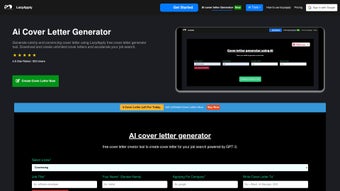
Because LazyApply is a web application, there is no traditional installation process. Users simply navigate to lazyapply.com using a modern browser such as Chrome, Firefox, Edge, or Safari. The first step is to create a free account – this only requires an email address and a password. Once logged in, the dashboard presents a clean form where you can input:
- Your full name, contact information, and a brief professional summary.
- The job title, company name, and a copy of the job description.
- Any specific achievements or keywords you wish to highlight.
After pressing “Generate,” the AI processes the data and returns a draft within 10‑15 seconds. Users can then review the draft, make optional edits, and click “Copy to Clipboard” to paste the letter into their application portal. The platform automatically saves a session‑only copy, which is cleared once you log out, ensuring privacy.
LazyApply works on all major operating systems, including Windows 10/11, macOS Monterey and later, Linux distributions with a modern browser, as well as mobile OSes like Android 12+ and iOS 14+. Because the service runs entirely in the cloud, performance is consistent across devices, and updates are rolled out instantly without user intervention.
For power users, LazyApply also offers a Chrome extension that adds a “Generate Cover Letter” button directly on job‑search websites, further reducing friction. The extension respects the same security standards and does not store any data locally.
Conclusion, Pros & Cons, and FAQ
Pros
- Fast, AI‑generated letters save hours of manual writing.
- Industry‑specific templates increase relevance and impact.
- Free daily quota makes it cost‑effective for frequent applicants.
- Built‑in proofreading eliminates common spelling and grammar errors.
- Fully web‑based – works on any device with internet access.
Cons
- Limited to five free letters per day; heavy users need a paid plan.
- Customization beyond the provided fields may require manual editing.
- Dependent on internet connectivity – offline use is not possible.
- AI output can occasionally sound generic if the input data is sparse.
- No native desktop application for offline drafting.
Frequently Asked Questions
How many cover letters can I generate for free?
LazyApply allows up to five personalized cover letters per day at no cost. If you need more, you can upgrade to a premium plan.
Is my personal information safe?
Yes. All data is transmitted over HTTPS and is encrypted in transit. The platform does not retain personal details after the session ends.
Can I use LazyApply on a mobile device?
Absolutely. The responsive design works on Android and iOS browsers, and the Chrome extension also functions on mobile Chrome.
Do I need to install any software?
No installation is required. LazyApply runs entirely in your web browser.
What makes LazyApply better than a generic cover‑letter template?
LazyApply tailors each letter to the specific job posting and your unique experience, using AI to match keywords and tone, which generic templates cannot replicate.
In summary, LazyApply offers a fast, secure, and AI‑enhanced solution for anyone looking to improve their job‑application workflow. The free tier provides enough capacity for occasional users, while the premium upgrade unlocks unlimited generation and advanced customization. Ready to give your applications a competitive edge? Download LazyApply today and start generating compelling cover letters in seconds.



.png)



